

How do I reset my password with a link from the owner?
AASOM does not send reset emails. If you forgot your password, the farm owner issues a one-time reset link for your account, and you use it to choose a new password.
Before you start
Section titled “Before you start”- Role needed: none to use the link. An Owner or Admin issues it (only an Owner can issue one for an Owner account).
- What you need: the reset link from the farm owner.
- Where it is available: web.
How to get there
Section titled “How to get there”Open the reset link the owner sent you (it contains /reset?token=). The page is not in the menu. The owner finds the button in Settings, then Users & Access, then Accounts, then Reset link.
Steps for you
Section titled “Steps for you”- Ask the farm owner (or an Admin) for a reset link.
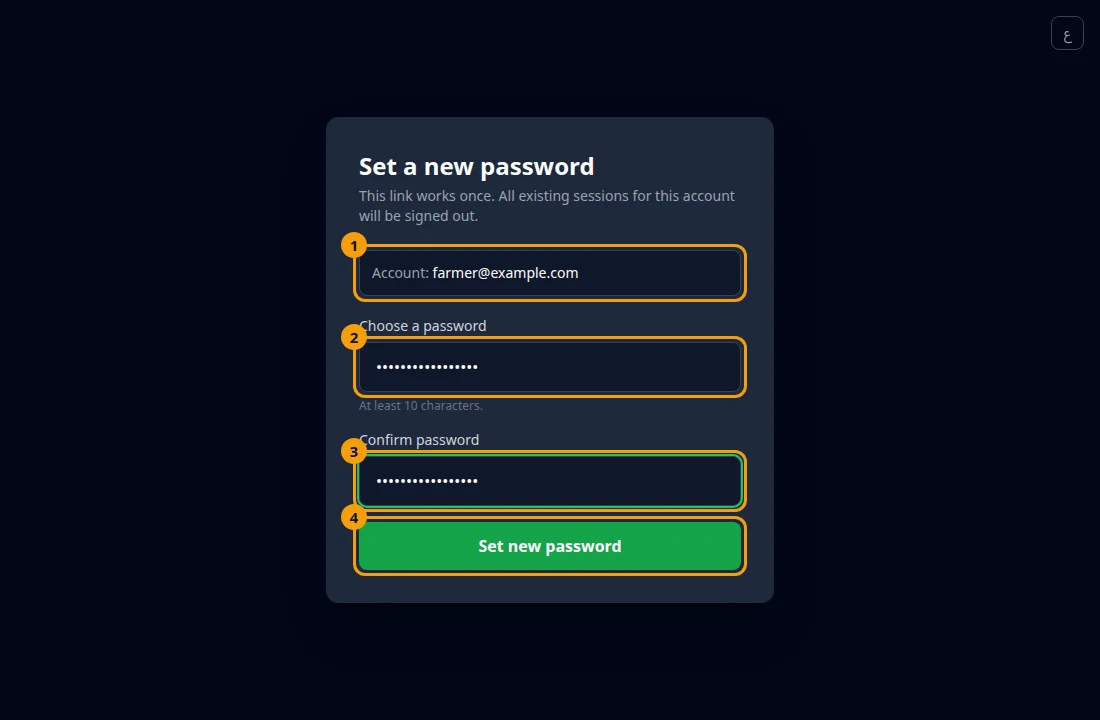
- Open the link. The page title is “Set a new password”, and it shows your email on the Account line.
- Type the new password in Choose a password (at least 10 characters).
- Type it again in Confirm password.
- Press Set new password.
Steps for the owner
Section titled “Steps for the owner”As an Owner or Admin, in Settings open Users & Access, find the person under Accounts and press Reset link. A One-time reset link appears. Send it to the person privately.
What happens next
Section titled “What happens next”The page shows “All set.”
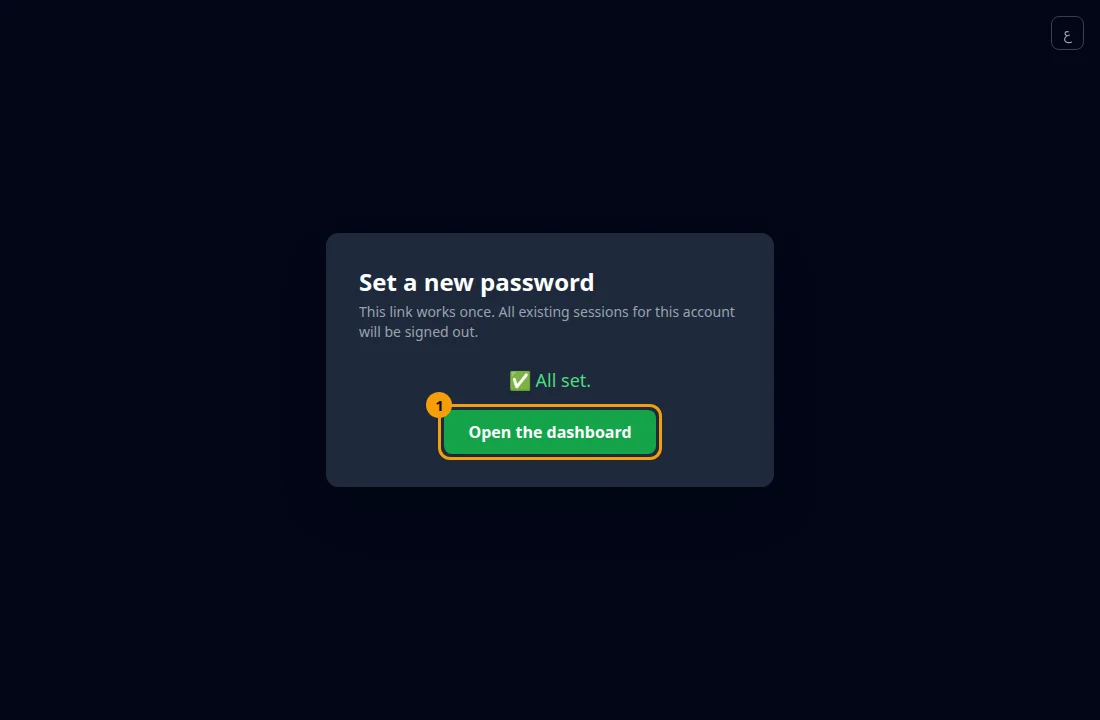 Press Open the dashboard, then sign in with the new password.
- The link works once.
- Using it signs your account out of every device, so sign in again on each phone or computer you use.
- Keep the link private until it is used.
Common problems
Section titled “Common problems”“This link is invalid, already used, or expired.” Ask the owner for a new reset link.
“The two passwords do not match”. Type both fields again.
I am the only Owner and I forgot my password. Contact whoever set up your platform.
Glad it helped, thank you!