

How do I switch a pump, valve or relay on and off?
The Controls section of Home lists the outputs of the selected device, such as a pump, a valve or a relay, each with a switch.
Before you start
Section titled “Before you start”- Role needed: Owner or Admin to send a command. Other roles cannot switch outputs.
- What you need: a selected device (see Devices) that is online.
- Where it is available: web.
How to get there
Section titled “How to get there”- Sign in (see How do I sign in to my farm?). Home is the first page you see.
- At any time, press Home in the side menu. On a phone, it is in the bar at the bottom of the screen.
- Select a device in the Devices strip. Controls is the block right under it.
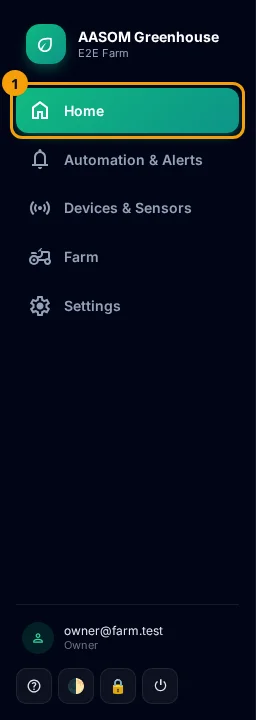

- Select the device in the Devices strip. The switches below belong to that device.
- Press the switch of the output you want. A green switch means on.
- Watch the line under the output’s name. It first says “Command sent — waiting for device to confirm”.
- When the device answers, the switch settles and the line shows the confirmed state and how long ago it was confirmed, for example “confirmed 5s ago”. The line says Running when the output is on and Stopped when it is off.
Messages you may see
Section titled “Messages you may see”| Message | What it means |
|---|---|
| Command sent — waiting for device to confirm | The command is queued. Wait a few seconds. |
| Command failed — reverted to confirmed state | The device refused or failed. The switch went back to the last confirmed state. |
| Not confirmed yet — re-checking the real state now | No answer within about 15 seconds. The page is asking for the real state. The command may still have run. |
| No status yet (not wired) | The device has never confirmed a state for this output. |
Add an output
Section titled “Add an output”Press + Add, type a key (for example relay_1), a name (for example Irrigation Pump), choose Relay, Valve or Generic, and press + Add. The new output appears in the list.
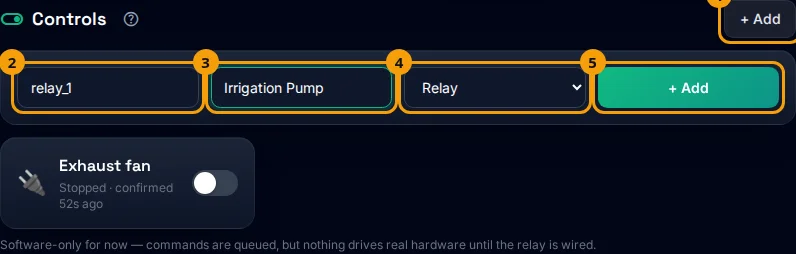
- The switch never claims a state the device has not confirmed. If you are unsure, trust the line under the name, not the knob.
- Do not press the switch repeatedly while it waits. One press sends one command.
- A note under the list reminds you that a command only does something real once the relay is wired.
Common problems
Section titled “Common problems”The switch does nothing. Check that the device is Online in the device list, and that your role is Owner or Admin.
The status still says “not confirmed”. Wait a minute and look again. The page re-checks the real state by itself.
Did this article answer your question?
Glad it helped, thank you!