

How do I see which devices are online and pick one to view?
The Devices strip on Home lists every device of your farm with its status. It is also the device picker: the readings, controls and charts below show the device you select.
Before you start
Section titled “Before you start”- Role needed: any role.
- Where it is available: web. The strip appears once the farm has at least one device.
How to get there
Section titled “How to get there”- Sign in (see How do I sign in to my farm?). Home is the first page you see.
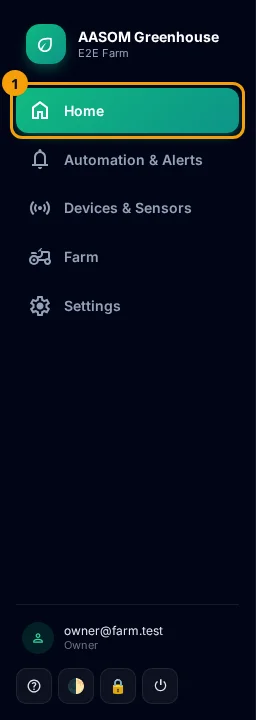
- At any time, press Home in the side menu. On a phone, it is in the bar at the bottom of the screen.
- The Devices strip is the first block under the top bar.
Read a device card
Section titled “Read a device card”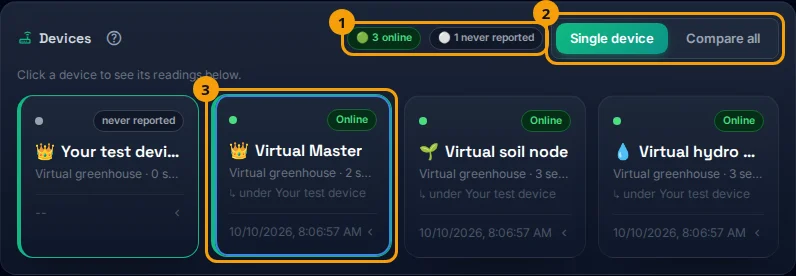
Each card shows:
- a status pill: Online, stale, Offline, never reported or suspended;
- the device name (👑 marks a Master, 🌱 a soil node, 💧 a hydroponic node);
- the unit and room, and how many sensors it has;
- the time of its last report.
The Master of each unit comes first, with a green edge. Its nodes follow, each marked under the Master’s name. If a unit has no Master set, a note tells you to choose one.
What the statuses mean
Section titled “What the statuses mean”| Status | Meaning |
|---|---|
| Online | Heard from in the last 10 minutes. |
| stale | Quiet for 10 to 30 minutes. |
| Offline | Quiet for more than 30 minutes. |
| never reported | Registered but has never sent a reading. |
| suspended | Taken out of service for now, by a farm Admin or by the platform operator. |
The small counters at the top right of the strip add up each status.
- Press a device card. It gets a highlighted border, and the readings, controls and charts below switch to that device. You can press an offline device too, to see its last readings.
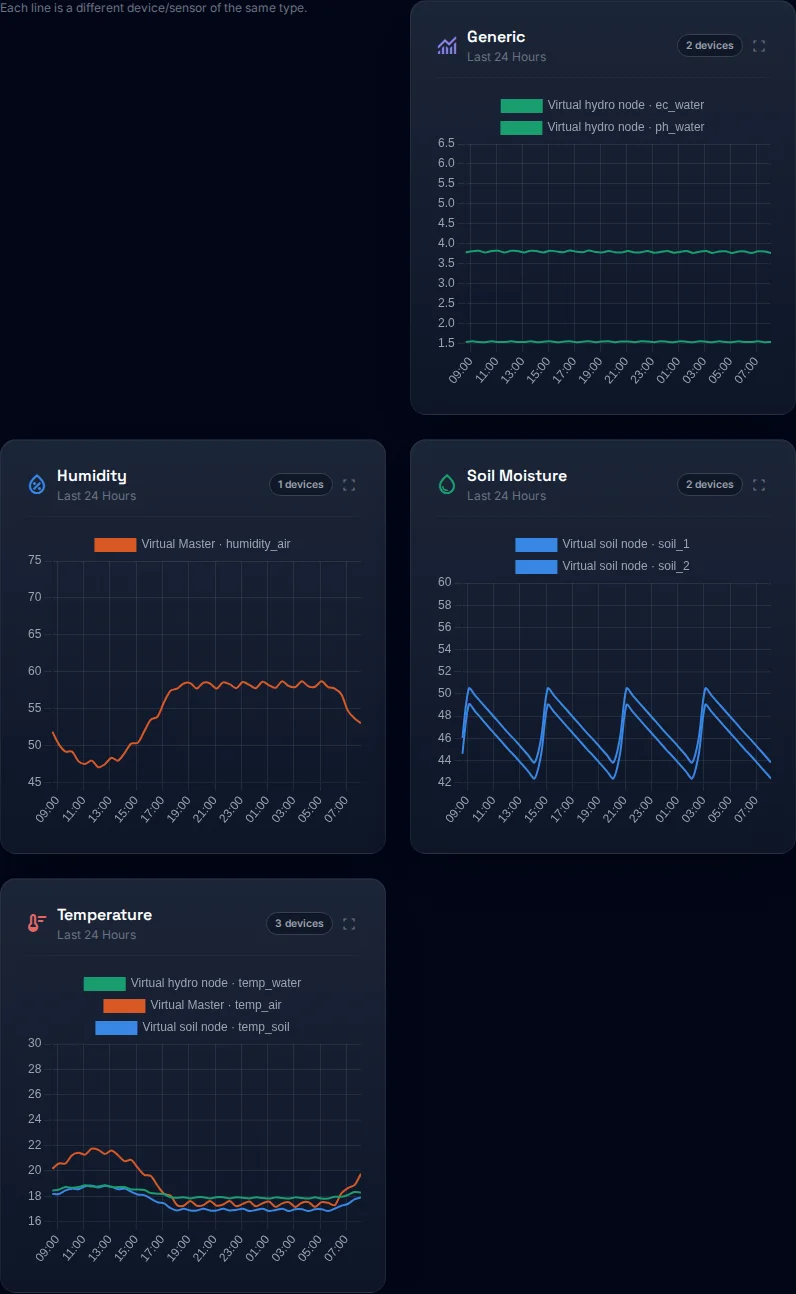
- To see all devices together, press Compare all (the other choice is Single device). The charts then overlay every device, up to six, and the readings cards are hidden.
The Compare all mode shows every device on the same chart, each in its own color:
- A Master sends its batch about every five minutes, which is why 10 minutes is used for online.
- If a device shows Offline, check its power and Wi-Fi first.
- The same status is used in the app and on the web.
Common problems
Section titled “Common problems”The Devices strip does not appear. The farm has no devices registered yet.
“No Master node set for this unit yet”. Open the Devices page and set the Master role for the node that controls the others.
Did this article answer your question?
Glad it helped, thank you!